
A7D2L26RNEPG74A3Q
Active · Unverified
Nep Achievement And "Woven Insight" Emote.
Jun 25, 2026
Code list reviewed: September 14, 2026
A7D2L26RNEPG74A3Q
Active · Unverified
Nep Achievement And "Woven Insight" Emote.
Jun 25, 2026
SLATECONCRETE
Active · Unverified
This code credits your account with 100 Cash.
Jun 3, 2026
X6X31F47UN8JM1NEP
Active · Unverified
This code credits your account with Nep Achievement.
Jun 3, 2026
RIPBOWE
Active · Unverified
This code credits your account with Free Emote.
Dec 29, 2025
67
Active · Unverified
This code credits your account with 67 Emote.
Nov 28, 2025
Jujutsu Shenanigans is a battleground fighting game inspired by Jujutsu Kaisen. Each character brings a set of attacks that can be combined with basic melee moves. Blocking and dashing help you respond to an opponent and find an opening. Awakenings introduce stronger moves that can change an encounter. Destructible parts of the map make the arena react to the battles taking place within it.
Redemption Guide
Open Jujutsu Shenanigans on Roblox, then follow these three steps.
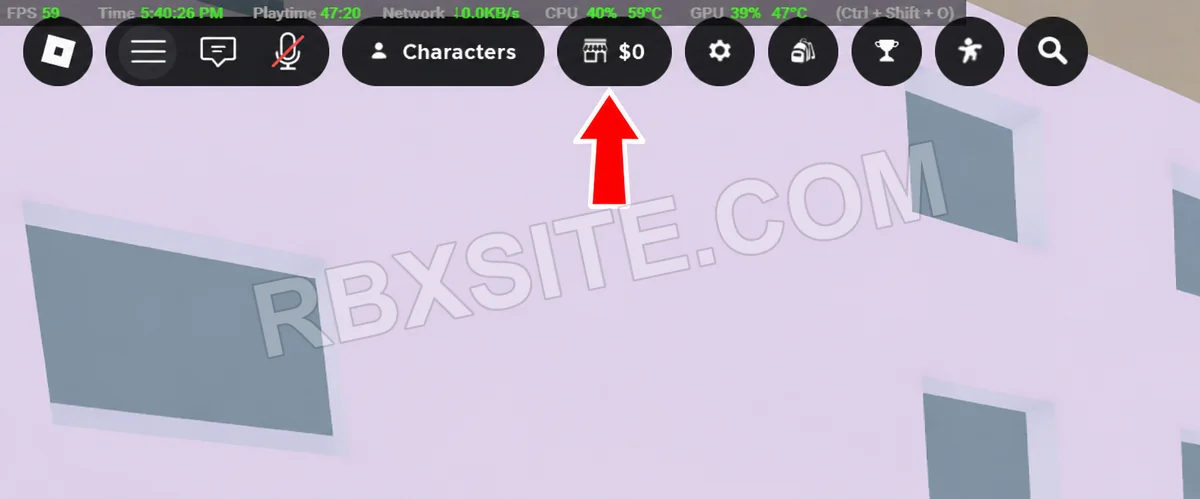
First, click the Shop icon in the top toolbar, immediately to the right of Characters. It shows a storefront beside your cash balance.
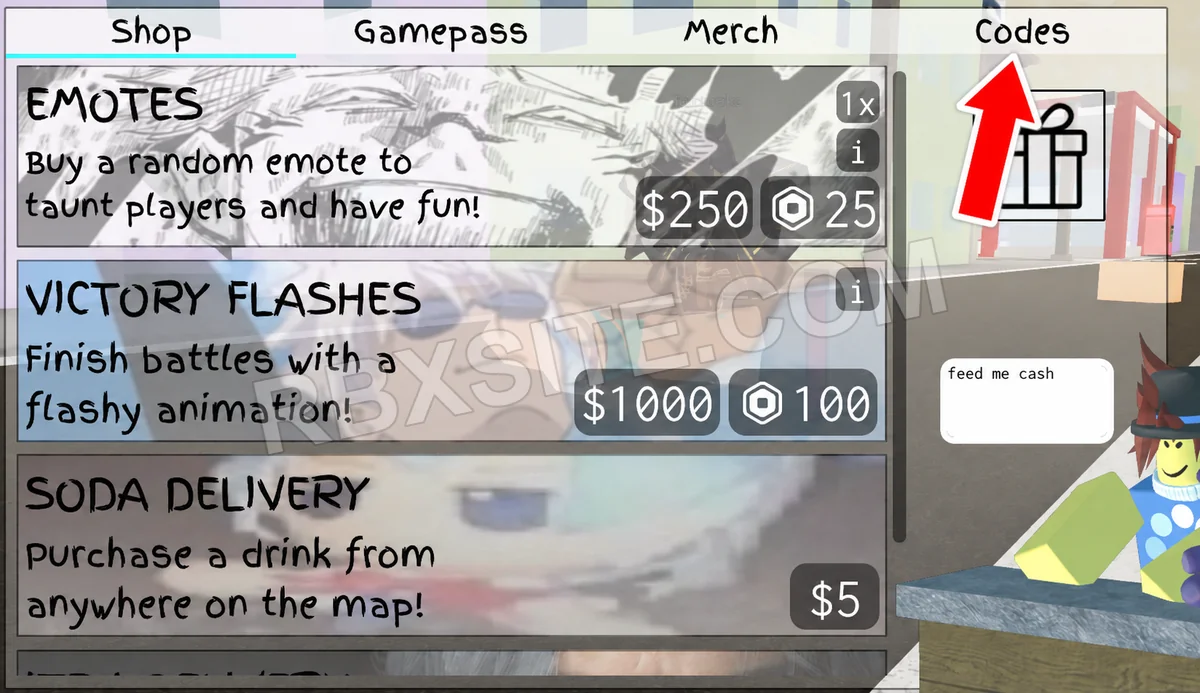
Next, click Codes in the top-right corner of the Shop window, beside Merch.
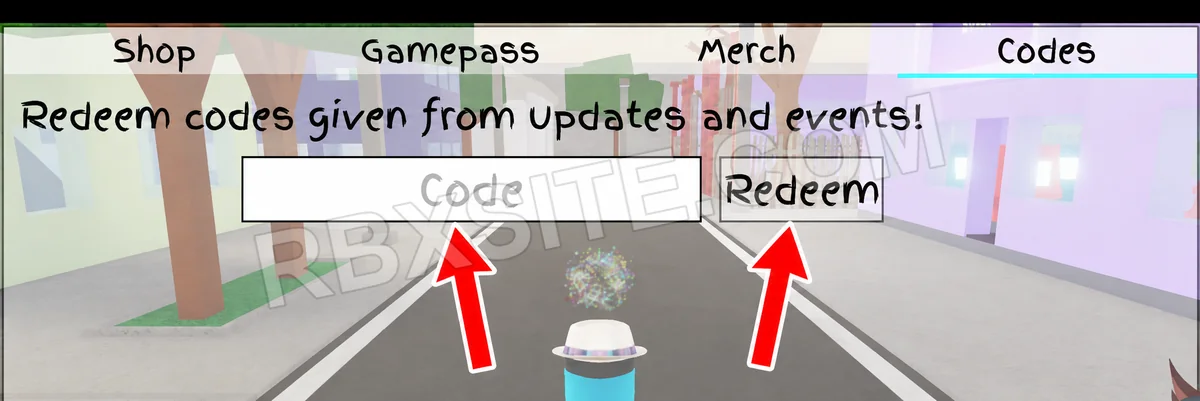
Then, enter your code into the white Code box and click Redeem beside it.
Illustrations adapted from in-game screenshots. Click an image to enlarge it.
Code Help
Active includes unverified entries that have not been listed expired or marked inactive. Three consecutive failure votes from distinct accounts mark an entry inactive; a later success vote ends that streak. Inactive entries remain in All. Availability is not a guarantee of success or editorial verification.
Unverified entries lack a current editorial review. Community votes report player experiences and do not establish editorial verification. The review label is separate from availability. “Added” means added to RBXSITE, not the developer's release date.
Include the exact code, displayed error and where you tried it when requesting a correction. Do not send passwords, cookies or private account information.
Page updated: . Code checks and value observations have separate dates.