forestwakesup26
Active · Unverified
15 Gems, a Coinsplosion Offering, a Valentines Offering, and an Alien Offering.
Jun 13, 2026
Code list reviewed: September 14, 2026
forestwakesup26
Active · Unverified
15 Gems, a Coinsplosion Offering, a Valentines Offering, and an Alien Offering.
Jun 13, 2026
YAY FISHING
Active · Unverified
This code credits your account with 2 Gems (they will fall from the sky).You must have chat enabled to use this code. To claim this code, type yay fishing into the chat whilst in t
Jun 3, 2026
afterparty
Active · Unverified
15 Gems.
Sep 21, 2025
HAPPYHALLOWEEN
Active · Unverified
This code credits your account with 10 Candy.
Oct 21, 2025
99 Nights in the Forest is a survival game built around a campfire in the woods. During the day, you collect wood, food, and materials to prepare your camp. Maintaining and upgrading the fire creates a safer base and opens more of the map to explore. Expeditions into the forest also involve finding missing children and facing hostile creatures. Nightfall shifts the focus toward staying alive, with teamwork helping the group balance exploration and camp duties.
Redemption Guide
Open 99 Nights in the Forest on Roblox, then follow these three steps in the lobby.
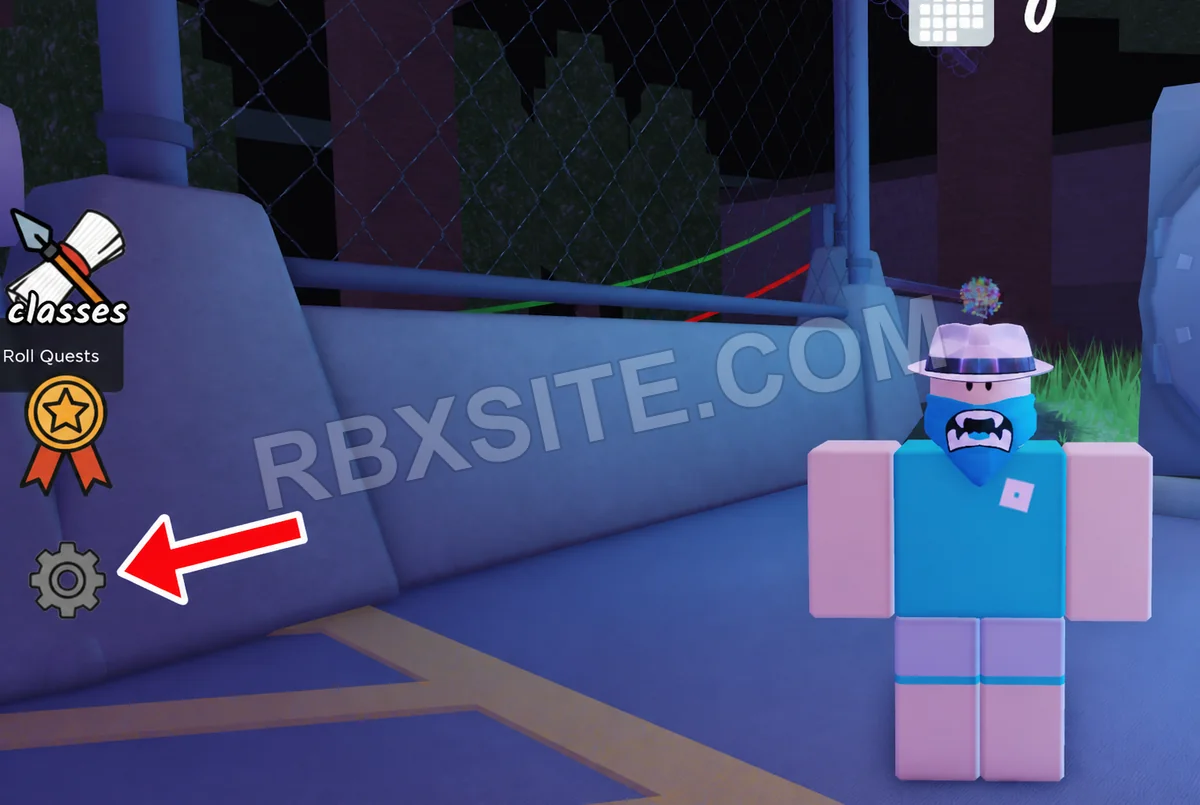
First, click the Settings gear on the left side of the screen, below the medal icon.
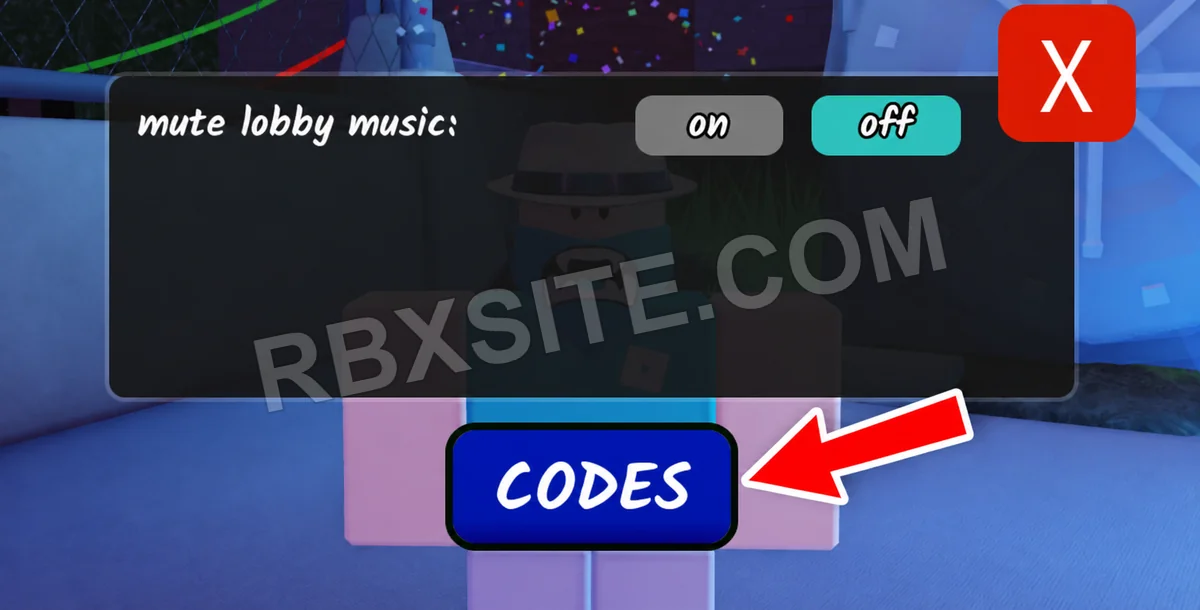
Next, click the blue CODES button below the Settings panel.
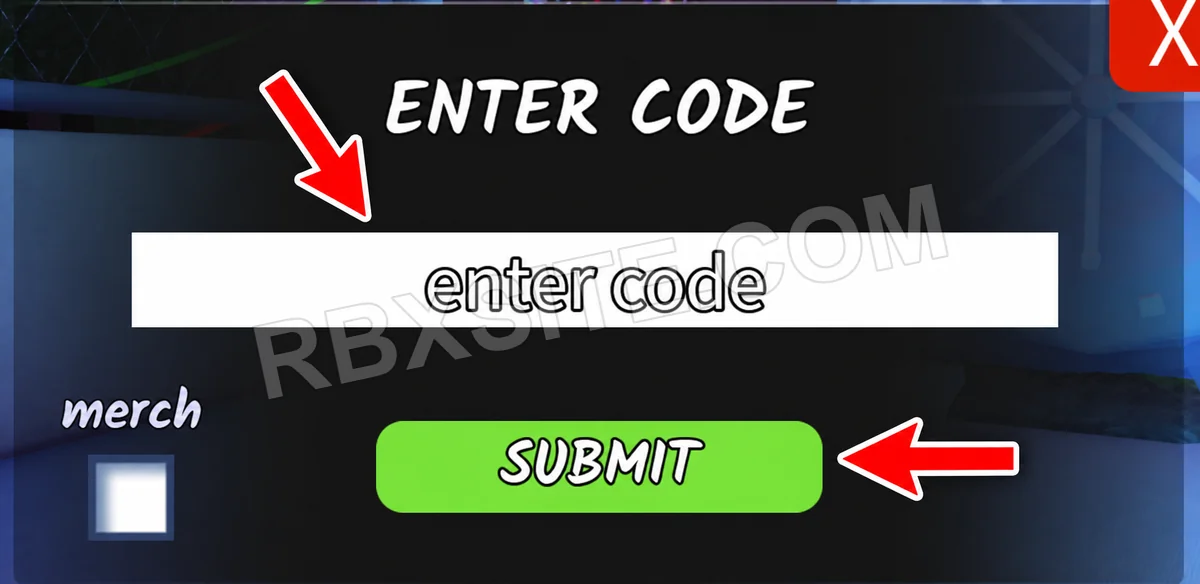
Then, enter your code into the white enter code box and click the green SUBMIT button.
Illustrations adapted from in-game screenshots. Click an image to enlarge it.
Code Help
Active includes unverified entries that have not been listed expired or marked inactive. Three consecutive failure votes from distinct accounts mark an entry inactive; a later success vote ends that streak. Inactive entries remain in All. Availability is not a guarantee of success or editorial verification.
Unverified entries lack a current editorial review. Community votes report player experiences and do not establish editorial verification. The review label is separate from availability. “Added” means added to RBXSITE, not the developer's release date.
Include the exact code, displayed error and where you tried it when requesting a correction. Do not send passwords, cookies or private account information.
Page updated: . Code checks and value observations have separate dates.