746767604
Active · Unverified
This code credits your account with the Cheek Head.
Jun 3, 2026
Item list reviewed: September 14, 2026
746767604
Active · Unverified
This code credits your account with the Cheek Head.
Jun 3, 2026
13661162021
Active · Unverified
Rewards
Nov 28, 2025
12518709036
Active · Unverified
This code credits your account with the White Boots with Fur.
Jun 3, 2026
6935621784
Active · Unverified
a Black Punk Girl Outfit.
Jul 22, 2024
226147570
Active · Unverified
This code credits your account with Rainbow Winds of Imagination.
Jun 3, 2026
Berry Avenue is an open-ended roleplay game set in a town. You can customize your appearance and choose a home as the starting point for a character. The town's locations support stories about family life, school, work, and meeting friends. Players decide how those stories unfold through their own interactions. Fashion, homes, and social play give the experience its focus rather than a single mission to complete.
Item ID Guide
Use a Roblox catalog item ID in the Avatar editor by following these four steps.
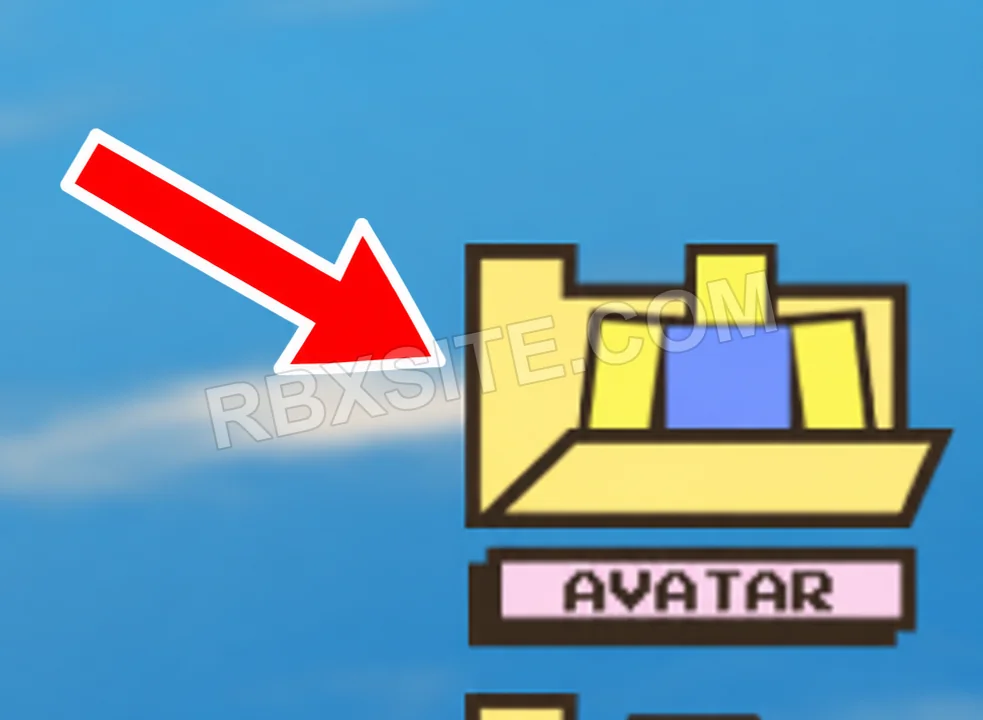
First, click Avatar on the right side of the screen, above Vehicles.
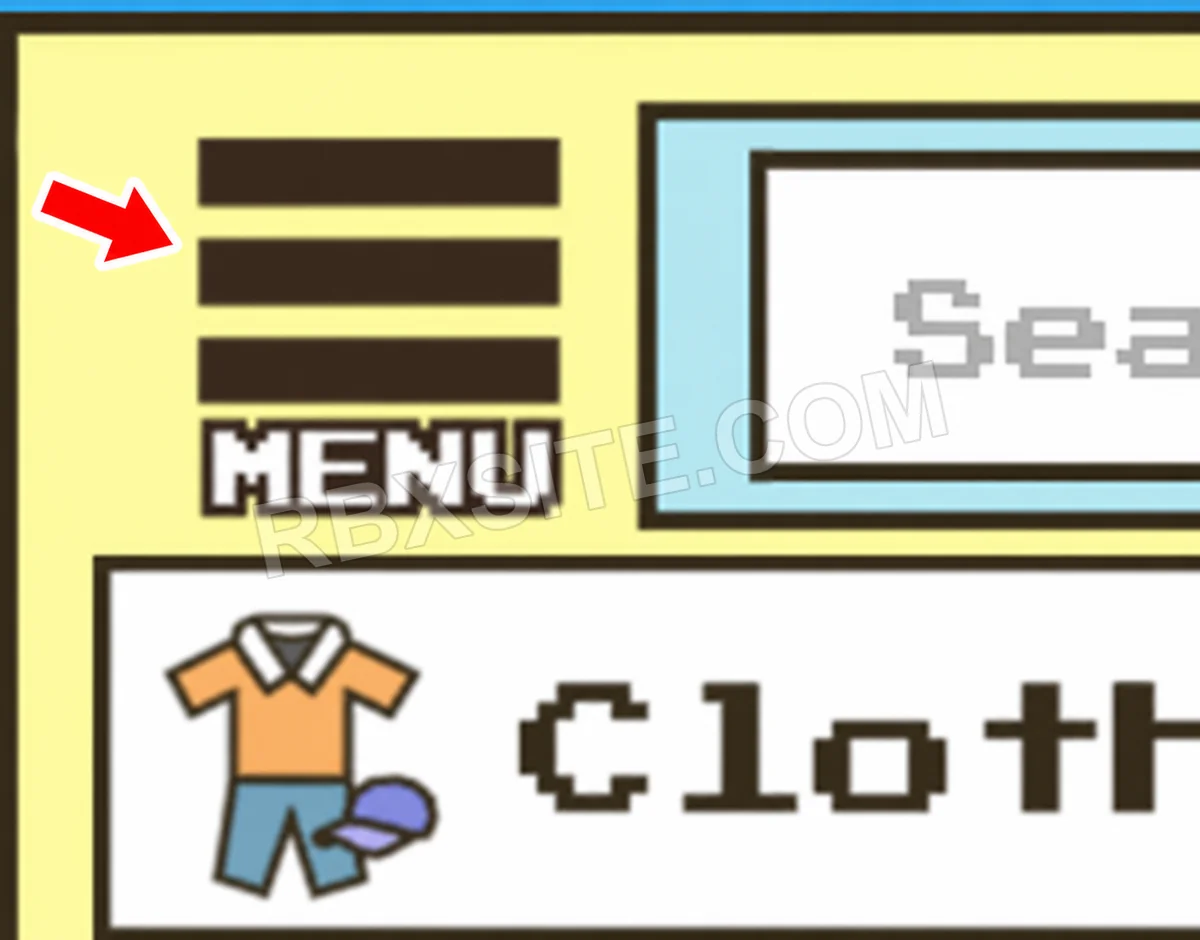
Next, click the Menu button with three horizontal lines at the top left of the Avatar panel.
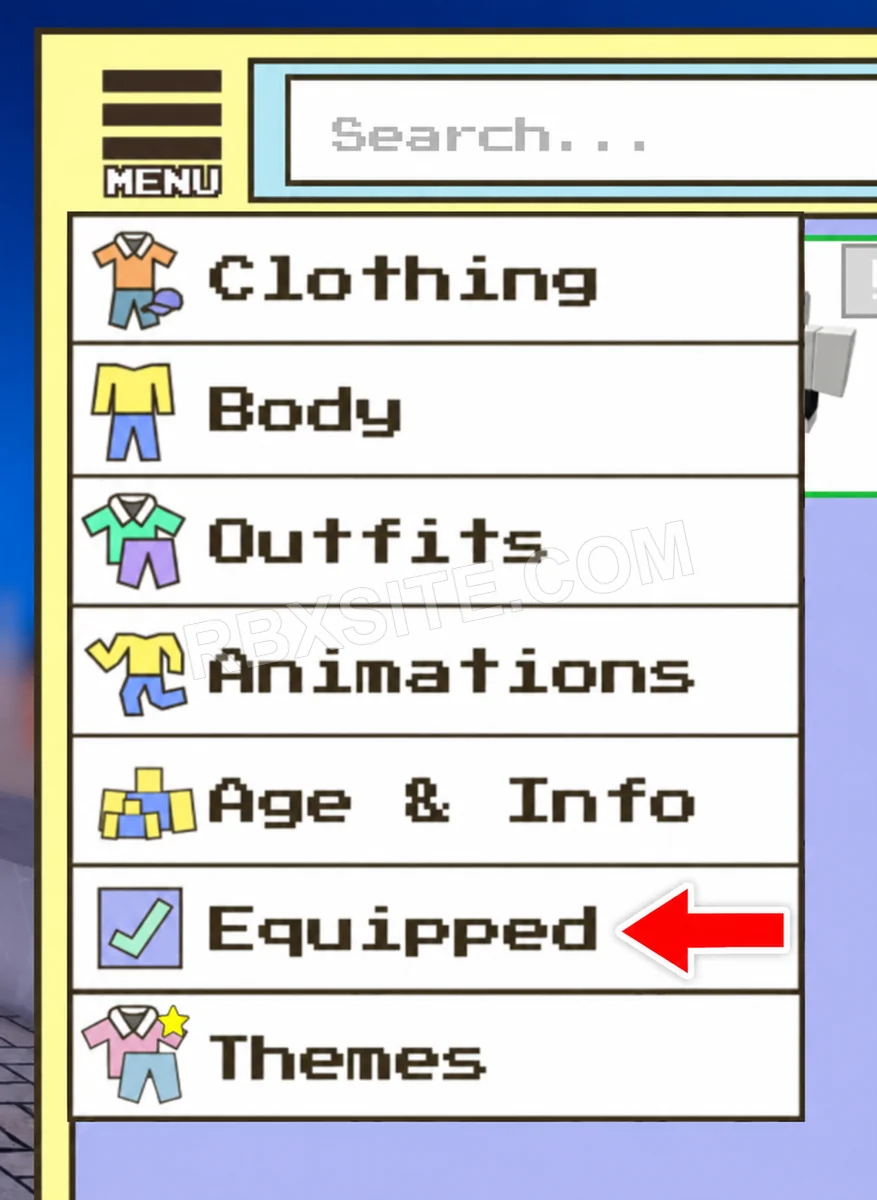
Click Equipped in the menu, between Age & Info and Themes.
Then, click the Import ID tile with the plus icon. Enter the Roblox catalog item ID into the ID box and click Add.
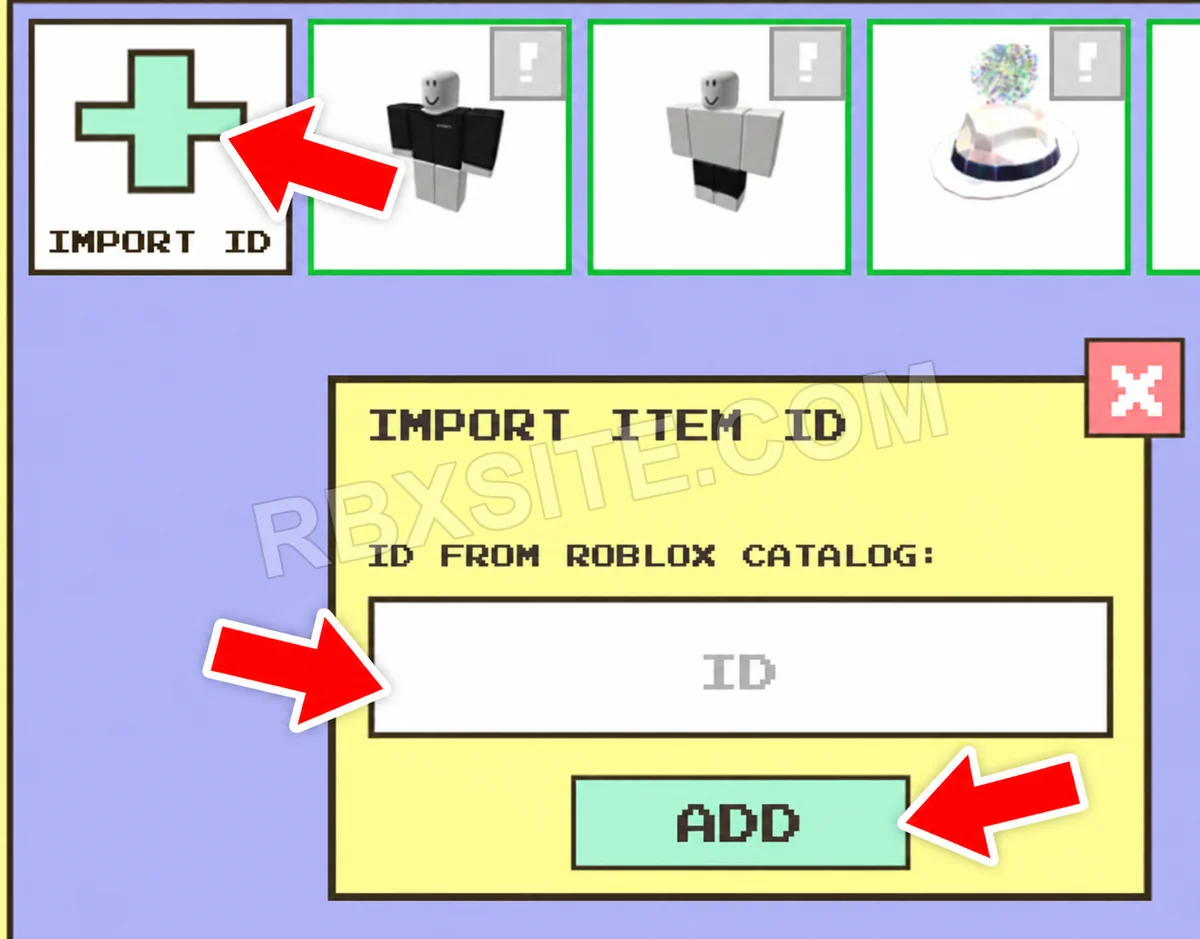
Illustrations adapted from in-game screenshots. Click an image to enlarge it.
Item ID Help
Active includes unverified entries that have not been listed expired or marked inactive. Three consecutive failure votes from distinct accounts mark an entry inactive; a later success vote ends that streak. Inactive entries remain in All. Availability is not a guarantee of success or editorial verification.
Unverified entries lack a current editorial review. Community votes report player experiences and do not establish editorial verification. The review label is separate from availability. “Added” means added to RBXSITE, not the developer's release date.
Include the exact code, displayed error and where you tried it when requesting a correction. Do not send passwords, cookies or private account information.
Page updated: . Code checks and value observations have separate dates.