
EASTEREXP
Active · Unverified
2x Experience (20 Minutes).
Mar 29, 2026
Code list reviewed: September 14, 2026
EASTEREXP
Active · Unverified
2x Experience (20 Minutes).
Mar 29, 2026
CHANDLER
Active · Unverified
This code credits your account with 0 Cash.
Jun 3, 2026
KITT_RESET
Active · Unverified
1 Stat Reset.
Feb 7, 2026
SUB2CAPTAINMAUi
Active · Unverified
a 20 Minute 2x XP Boost.
Feb 7, 2026
THEGREATACE
Active · Unverified
a 20 Minute 2x XP Boost.
Feb 7, 2026
Blox Fruits is an action RPG set across islands connected by ocean travel. Quests send you into battles that earn experience and in-game money. Your combat approach can draw on swords, fighting styles, and fruits that grant special powers. Stronger enemies and bosses provide challenges as your character progresses. Exploring further brings new locations, opponents, and opportunities to develop your build.
Redemption Guide
Open Blox Fruits on Roblox, then follow these three steps.
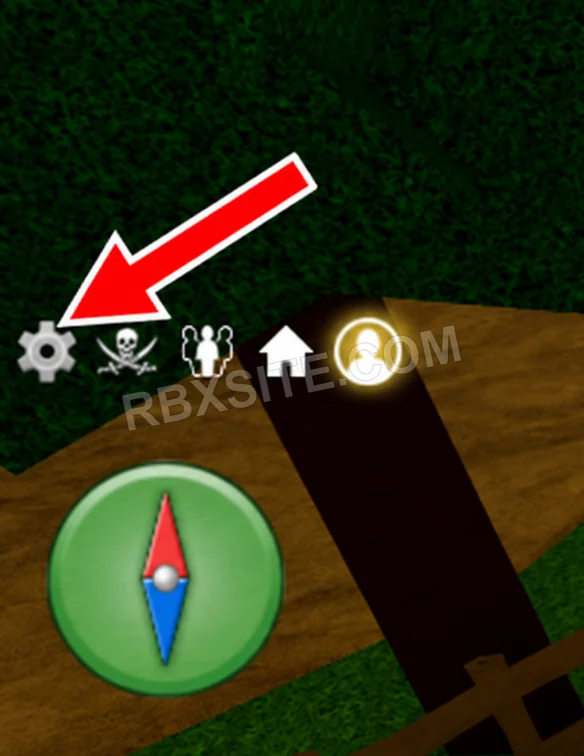
First, click the Settings gear on the left side of the screen, above the compass.
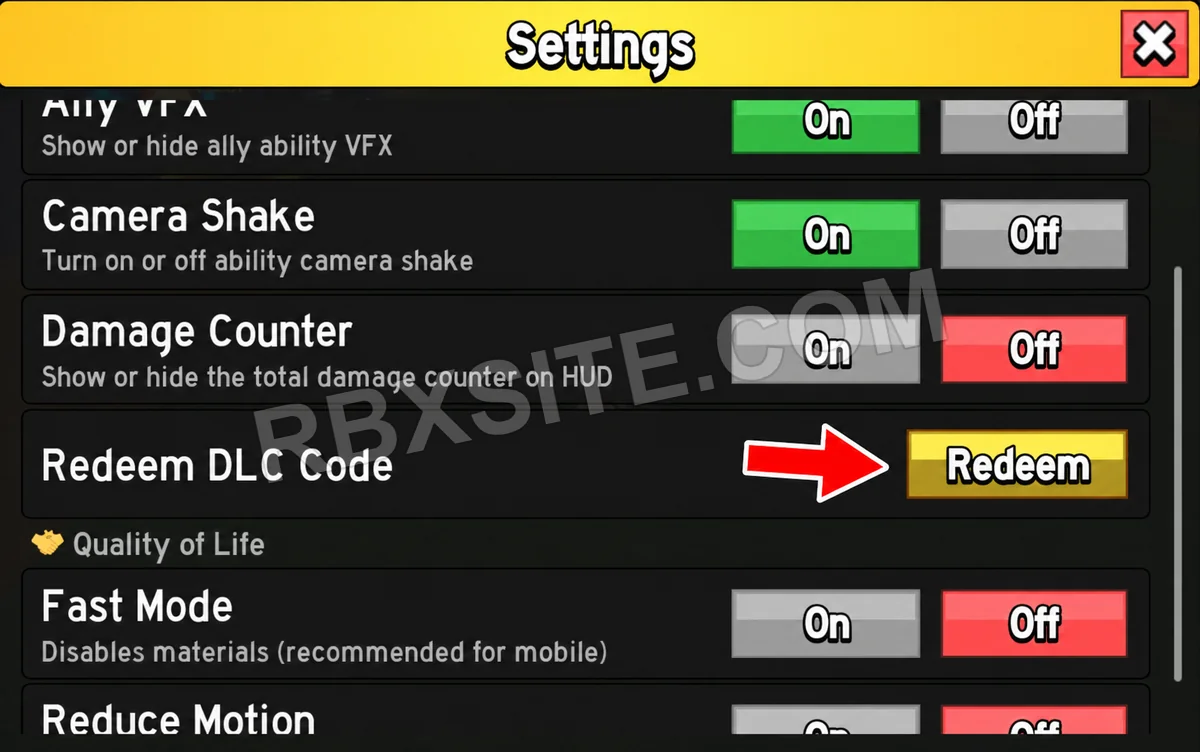
In Settings, scroll down to Redeem DLC Code and click the yellow Redeem button beside it.
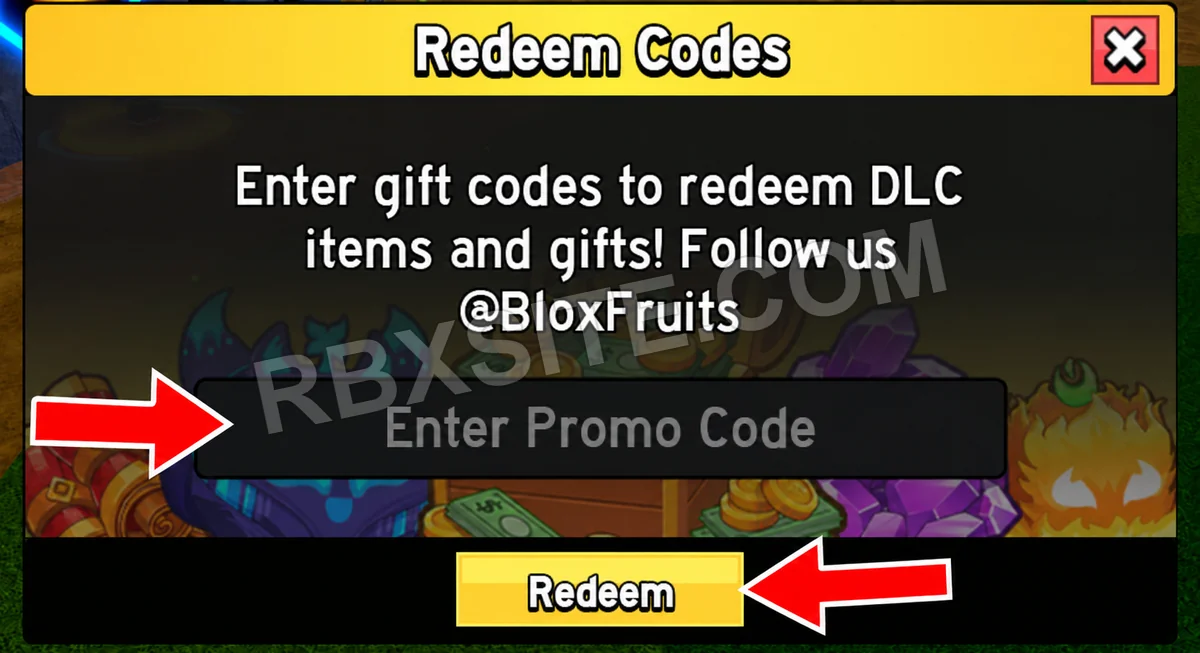
Then, enter your code into the Enter Promo Code box and click the yellow Redeem button below it.
Illustrations adapted from in-game screenshots. Click an image to enlarge it.
Code Help
Active includes unverified entries that have not been listed expired or marked inactive. Three consecutive failure votes from distinct accounts mark an entry inactive; a later success vote ends that streak. Inactive entries remain in All. Availability is not a guarantee of success or editorial verification.
Unverified entries lack a current editorial review. Community votes report player experiences and do not establish editorial verification. The review label is separate from availability. “Added” means added to RBXSITE, not the developer's release date.
Include the exact code, displayed error and where you tried it when requesting a correction. Do not send passwords, cookies or private account information.
Page updated: . Code checks and value observations have separate dates.