VALENTINES_CLOUD26
Active · Unverified
This code credits your account with 10 Potion Chests.
Jun 3, 2026
Code list reviewed: September 14, 2026
VALENTINES_CLOUD26
Active · Unverified
This code credits your account with 10 Potion Chests.
Jun 3, 2026
WEARESORRY
Active · Unverified
10 Rainbow Ices, 20 Potion Chests, and 5 Rare Potion Chests.
Aug 18, 2026
20260815UPD
Active · Unverified
20 Potion Chests and 5 Rare Potion Chests.
Aug 18, 2026
2026013UPD
Active · Unverified
This code credits your account with 20 Potion Chests and 5 Rare Potion Chests.
Jul 23, 2026
RAIDCH2
Active · Unverified
Rewards
Mar 15, 2026
Sol's RNG centers on rolling to obtain auras with different rarities and appearances. Equipping an aura lets you display its effects around your character. Crafting provides uses for collected materials and some auras through progression equipment. Potions and other boosts can change your rolling conditions for a period of time. Biomes add another consideration when working toward particular auras in the collection.
Redemption Guide
Open Sol's RNG on Roblox, then follow these five steps.
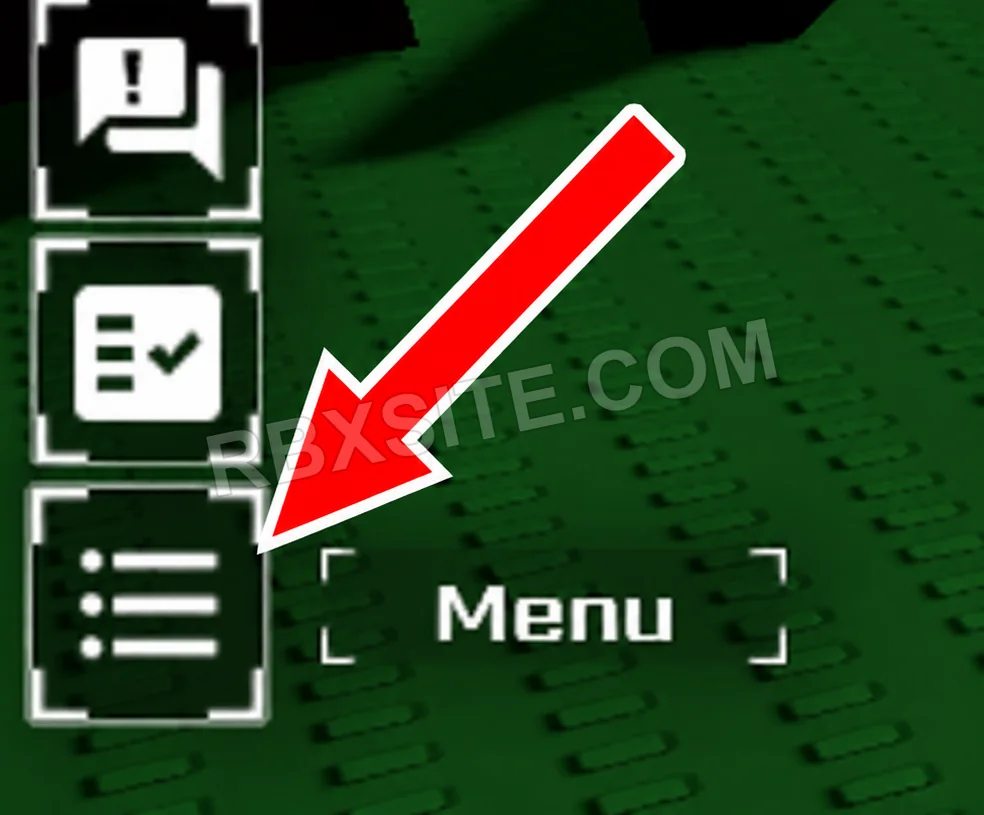
First, click the Menu icon at the bottom of the left toolbar. It looks like a list with three horizontal lines.
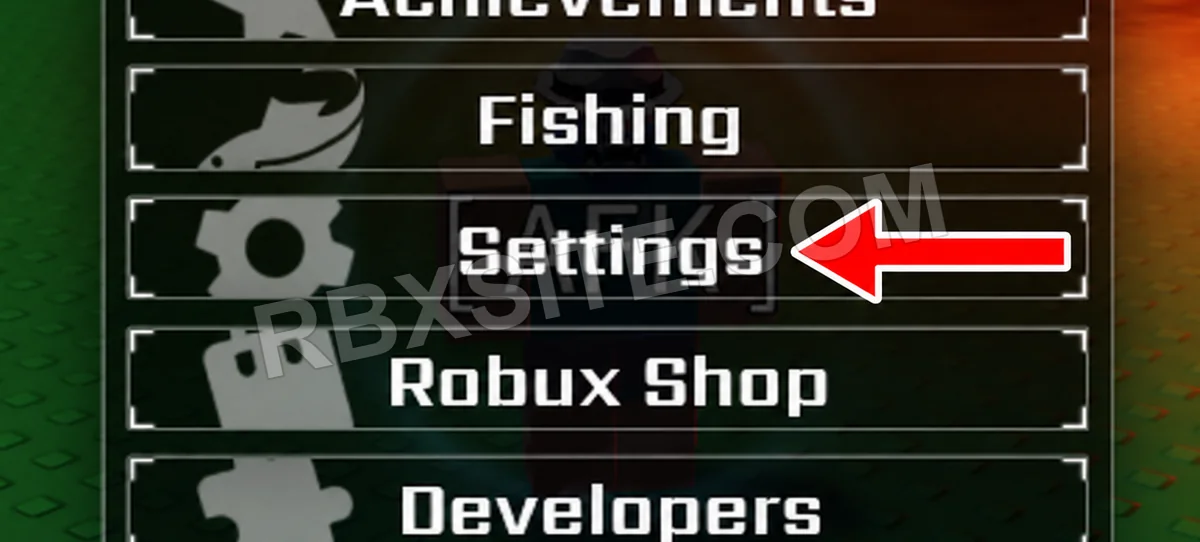
Next, click Settings in the Menu, below Fishing.
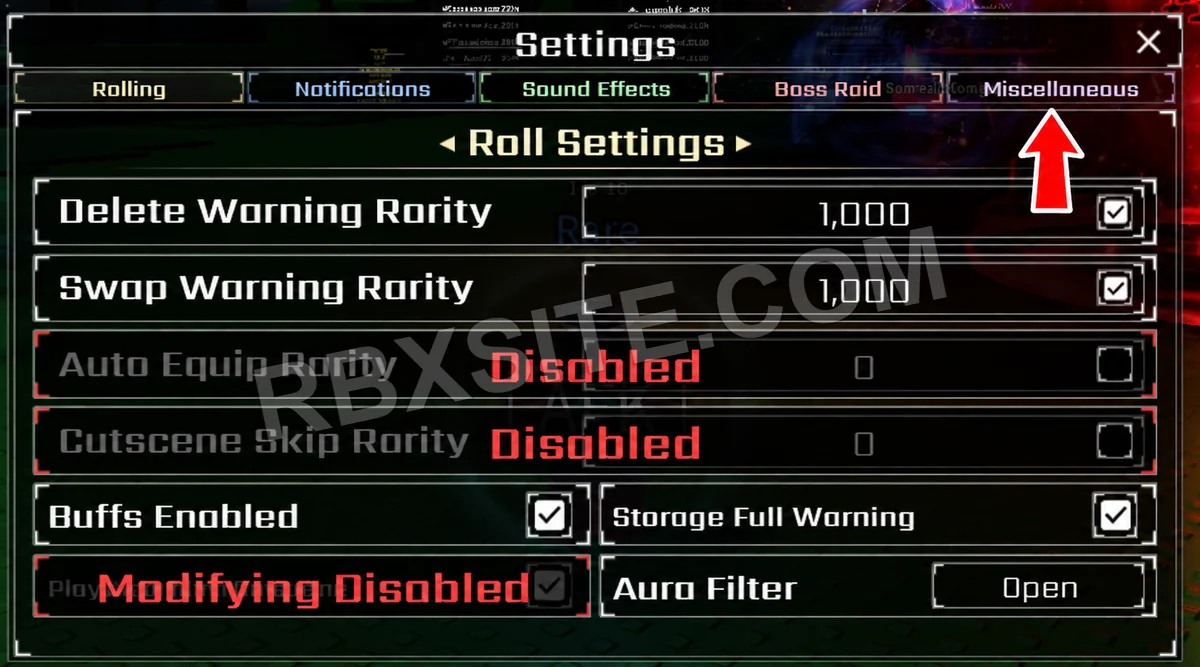
Click the Miscellaneous tab at the top right of the Settings window.
Find Redeem Code on the right side of the Miscellaneous settings and click Open beside it.
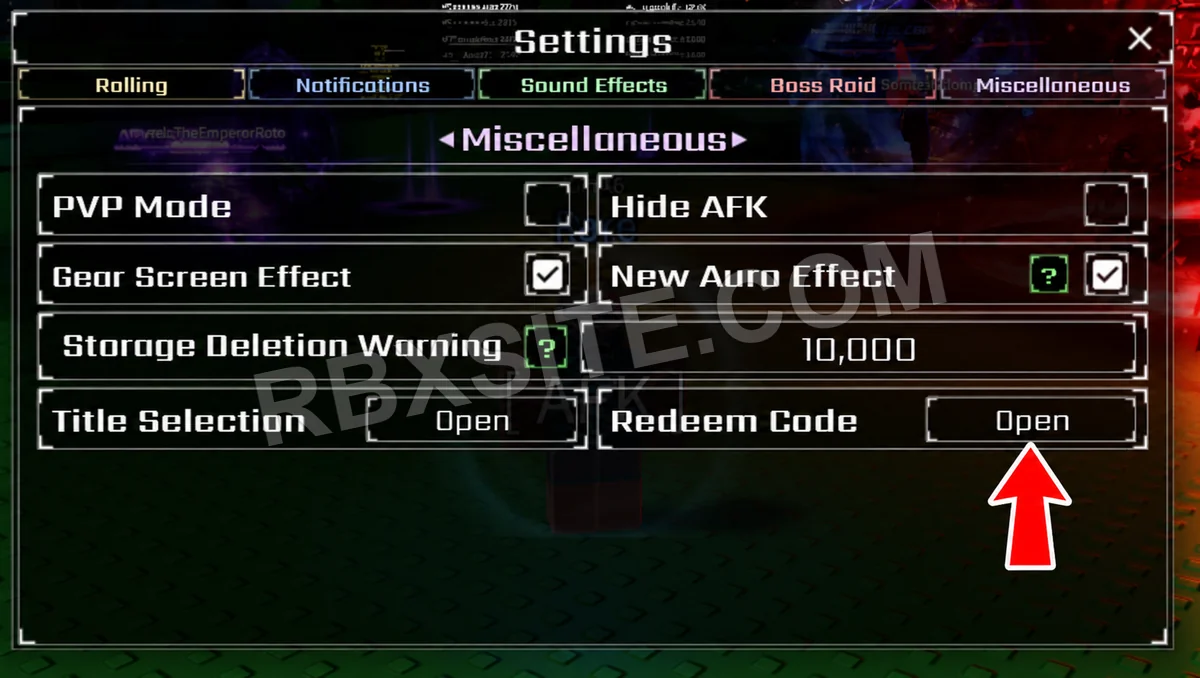
Then, enter your code into the Enter Code... box and click Redeem below it.
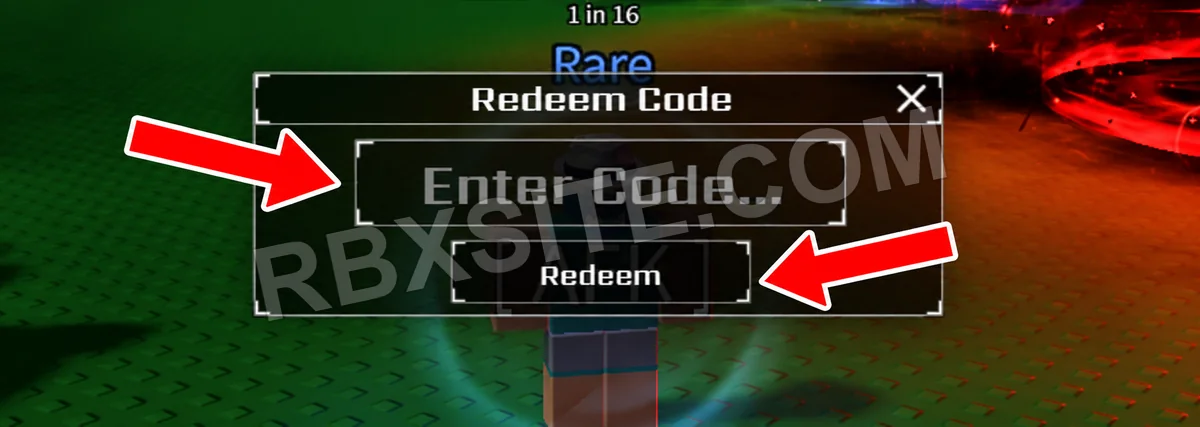
Illustrations adapted from in-game screenshots. Click an image to enlarge it.
Code Help
Active includes unverified entries that have not been listed expired or marked inactive. Three consecutive failure votes from distinct accounts mark an entry inactive; a later success vote ends that streak. Inactive entries remain in All. Availability is not a guarantee of success or editorial verification.
Unverified entries lack a current editorial review. Community votes report player experiences and do not establish editorial verification. The review label is separate from availability. “Added” means added to RBXSITE, not the developer's release date.
Include the exact code, displayed error and where you tried it when requesting a correction. Do not send passwords, cookies or private account information.
Page updated: . Code checks and value observations have separate dates.